

3DGS Guide --> Free Update
Synthetic splat tutorial for PS5 scenes

I made an update to the Free Quick Start guide to Gaussian Splatting, and I wanted to share it with you.
I have added 3 new tools to create Gaussian Splatting
An app that turns any image into a splat directly on Vision Pro
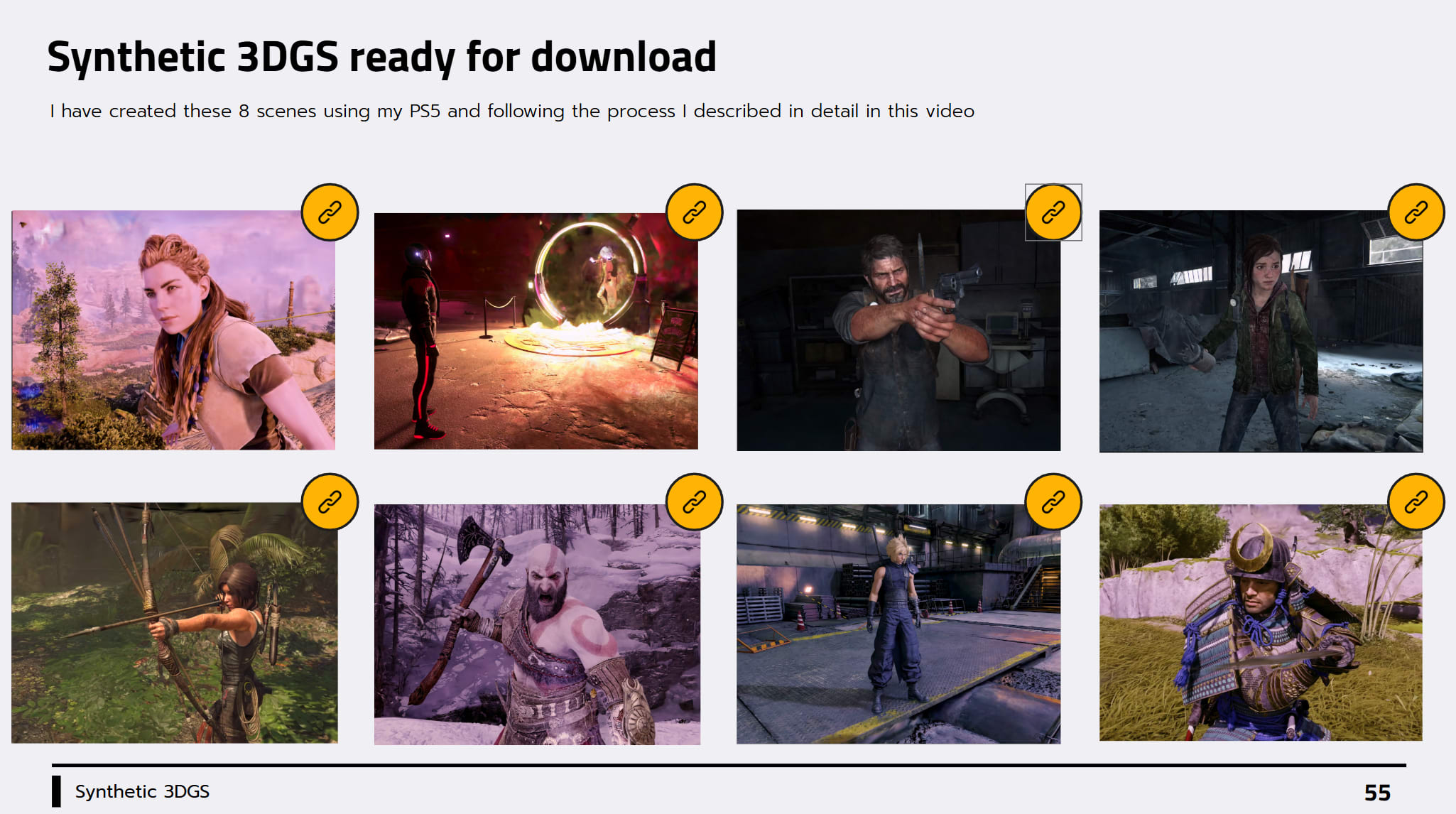
A brand new section with the reconstruction of the most popular game characters in history, ready for downloads
The guide includes an intro to Gaussian Splatting, a list of 21 local and cloud-based solutions for the reconstructions, and 14 apps to experience Gaussian Splatting in VR on Quest or Vision Pro.
Make sure to subscribe to the newsletter, and you will get it directly in your inbox
And now let’s get through everything new you will find in the update.
Everything NEW in the Update
Splatica: Focuses on turning 360 footage captured from an Insta360 into a 3DGS. It now also supports footage from Antigravity (a drone under 250 gr equipped with a 360 camera). I did a test recently, and I was quite pleased with the results.
SplataraScan: This app allows you to capture 3DGS on a Meta Quest. It has a free APK and a Windows PC companion app to perform the local reconstruction.
Splattr App: New cloud-based solution that supports images, videos, and 360 images. Setup is very intuitive and it offers other handy services like a viewer and a Splat converter.
Splat Studio: Splat Studio is a native app for Apple Vision Pro. You can use any picture in your album or simply drag and drop anyone you find online and it will be turned into a 3DGS using the SHARP model locally.
I created an in-depth tutorial on my YouTube Channel to show you how I turned PS5 footage into photorealistic 3D scenes that I brought in VR.
A new section of the guide contains the 8 game scenes I reconstructed with a direct link to Supersplat, where you can download the .ply directly.
I hope you enjoyed this quick update and see you again next week!